Too big to start? Do step one.
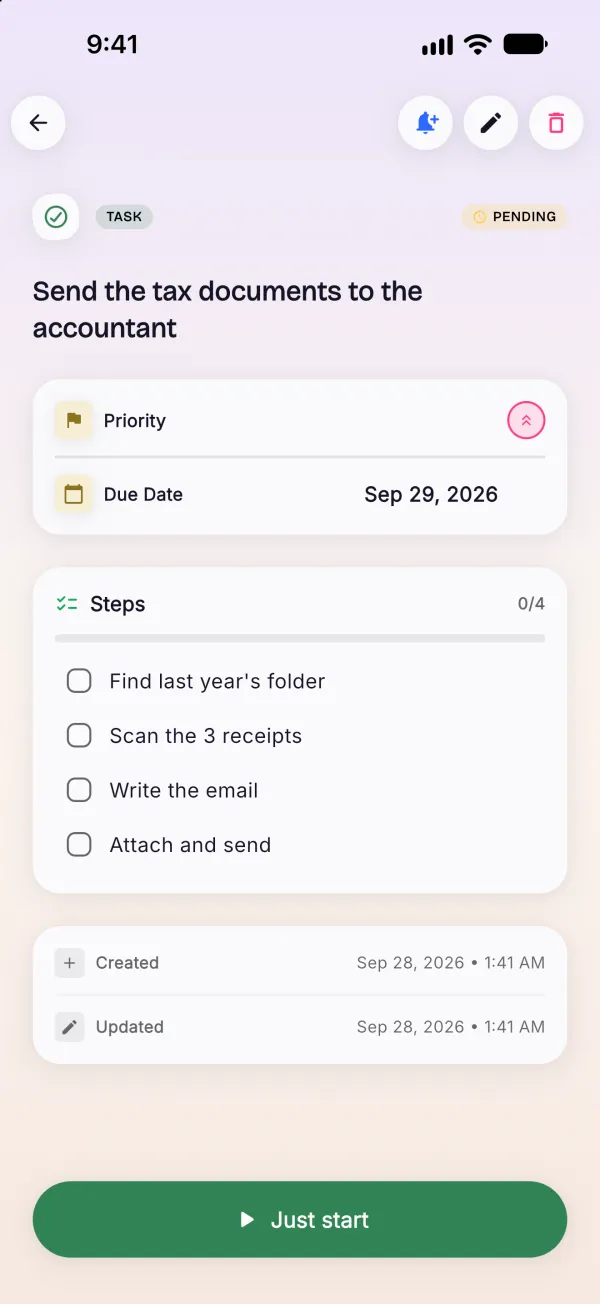
Tap a task and BrainSort breaks it into small steps, with the first one sized to take about two minutes. Still stuck on a step? Break that one down again.
Unlimited with Pro · free trial on the annual plan
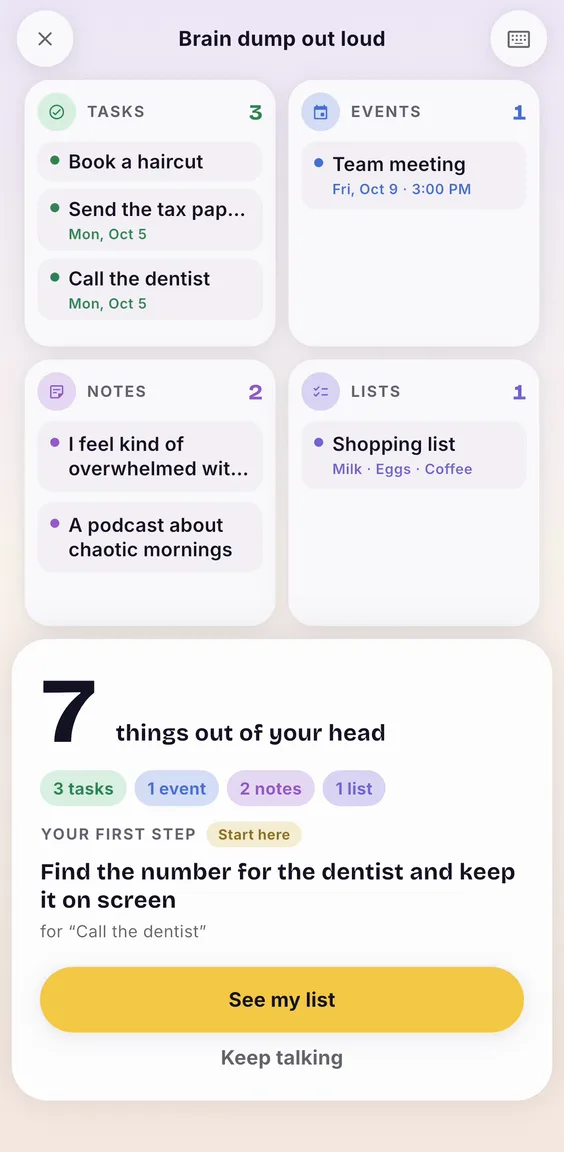
Say everything that's on your mind: tasks, plans, worries. BrainSort sorts it into tasks, events, lists and notes while you talk, then turns one task into a first step small enough to start.
Free to download · Pro has a free trial
How it works
About thirty seconds of talking. No folders to set up, nothing to tag, no account.
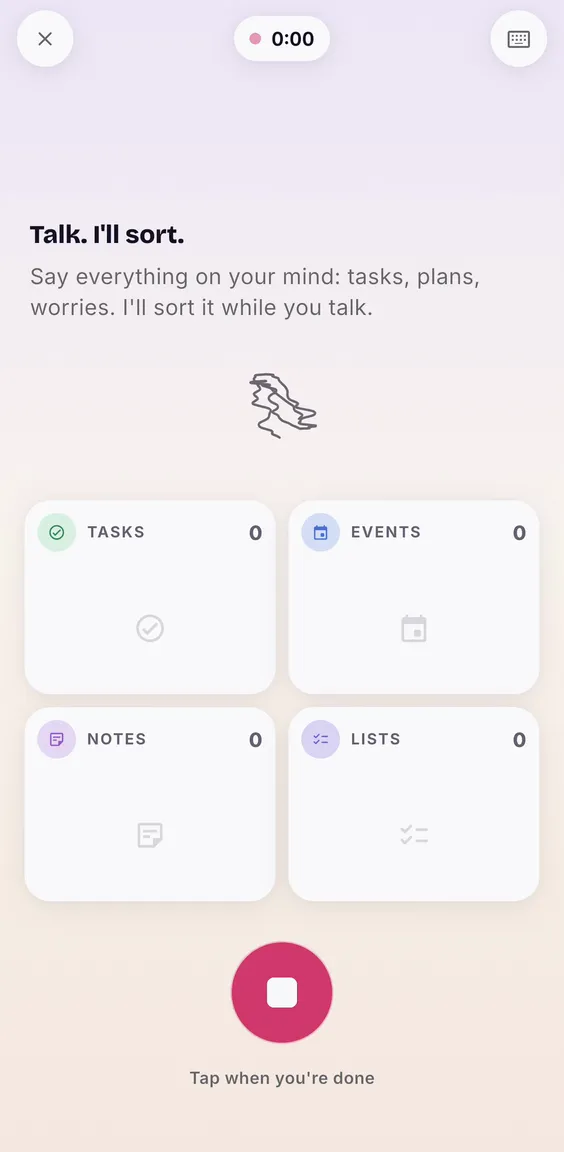
Tap the mic and say everything at once, in any order. Or skip the app: “Hey Siri, brain dump out loud in BrainSort.” Messy is fine.
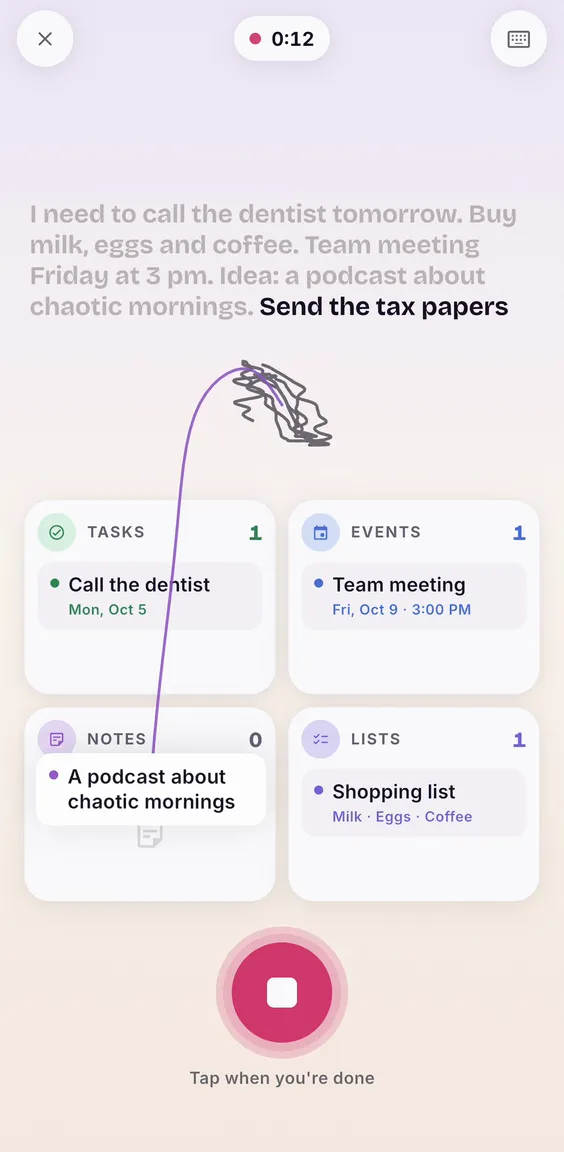
Each thing lands in its lane while you're still talking: tasks, events with their day and time, shopping lists, notes.
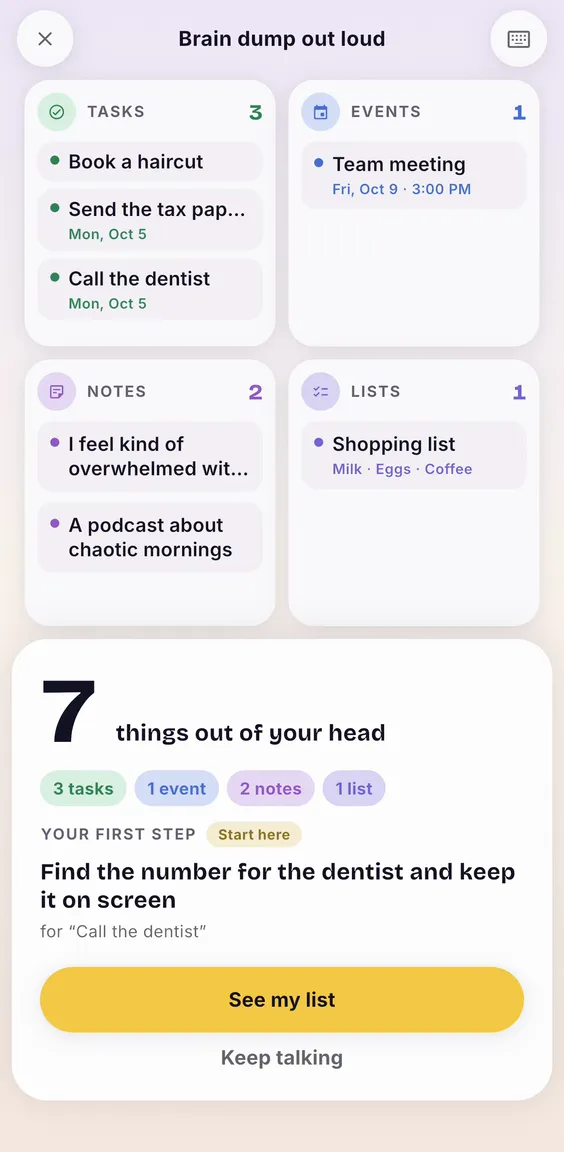
BrainSort picks a task and gives you a first step you can do in about two minutes. The rest waits in your list.
After the dump
Getting things out of your head is half of it. The other half is starting.
Tap a task and BrainSort breaks it into small steps, with the first one sized to take about two minutes. Still stuck on a step? Break that one down again.
Unlimited with Pro · free trial on the annual plan
If you want it, a morning notification with one task from your list. Just one.
Widgets show the task to do now, with a + to capture a thought without opening the app.
Capture without looking for the app:
No account and no sign-up. Your lists live on your iPhone and the sorting runs there too: with Apple Intelligence on iPhones that have it, and with built-in rules on every other one. If a voice dump comes out tangled, optional cloud help can sort its text, only with your OK. Voice uses Apple's on-device speech recognition when your language supports it.
Inside the app

Your list, with the task to do now on top and a mic always at hand.

A timer for the one task, with nothing else on screen.

The day closes with what you got done, not with what you didn't.
Who it's for
BrainSort is designed around the two places ADHD brains tend to get stuck: too much in your head at once, and a task too big to start. You don't need a diagnosis to use it. It's a productivity tool, not a treatment.
Pricing
Download free and complete your first brain dump.
For when you want to break everything down.
The annual plan starts with a 7-day free trial, and we remind you 2 days before your free trial ends (if you allow notifications). Cancel anytime in your iPhone's Settings. Monthly and a one-time lifetime purchase are available too. Prices are set per country: see yours on the App Store.
Questions
Yes. Sorting and task breakdowns run on your iPhone, so they work offline. If a voice dump comes out tangled and you allowed Cloud help, its text (never the audio) can go to Claude (Anthropic) to be sorted; without a connection, BrainSort keeps the result from your phone. Voice uses Apple's on-device speech recognition when your iPhone and language support it; if they don't, Apple may process the audio on its servers (we never receive it).
No. There is no sign-up and no login. Your lists are stored on your iPhone.
No. It's built around how ADHD brains tend to get stuck, but it works for anyone with too much on their mind. It's a productivity tool, not a medical treatment.
Pro is a monthly or annual subscription, or a one-time lifetime purchase, priced by Apple for each country, so the App Store shows your local price. The annual plan starts with a 7-day free trial, and we remind you 2 days before your free trial ends.
On your iPhone: Settings → your name → Subscriptions → BrainSort. Cancel at least 24 hours before the trial ends and you won't be charged. We remind you 2 days before your free trial ends, if you allow notifications.
BrainSort runs on iOS 15 or later. Siri and Shortcuts need iOS 16, and the widgets need iOS 17.
Free guides
The methods BrainSort is built on, written out so you can use them on paper too.
Say it out loud for thirty seconds. BrainSort sorts it while you talk.
Download on the App StoreFree to download · iPhone · no account needed